Introduction to Data Visualization
Data visualization is the graphical representation of information and data. By using visual elements like charts, graphs, and maps, data visualization tools provide an accessible way to see and understand trends, outliers, and patterns in data. In the context of data science and machine learning, effective visualization is crucial for:
- Exploratory Data Analysis (EDA): Understanding the structure, relationships, and characteristics of your dataset.
- Communicating Insights: Presenting findings clearly and persuasively to stakeholders.
- Model Evaluation: Visualizing model performance and identifying areas for improvement.
- Identifying Anomalies: Spotting unusual data points or errors.
Python offers a rich ecosystem of libraries to create stunning and informative visualizations.
Matplotlib: The Foundation
Matplotlib is the foundational plotting library in Python. It provides a wide array of plotting capabilities, from simple line plots to complex 3D charts. While it can be verbose, its flexibility is unparalleled.
Common Plot Types:
- Line Plots: Showing trends over time or continuous data.
- Scatter Plots: Visualizing the relationship between two numerical variables.
- Bar Charts: Comparing categorical data.
- Histograms: Displaying the distribution of a single numerical variable.
- Pie Charts: Representing proportions of a whole (use with caution for many categories).
Example: Scatter Plot with Matplotlib
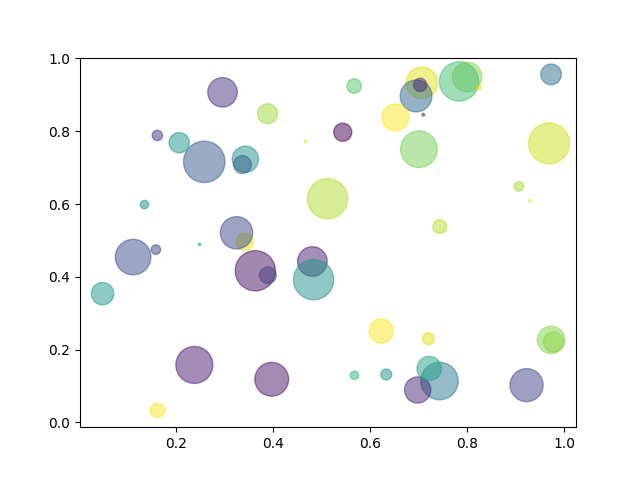
import matplotlib.pyplot as plt
plt.scatter(x_data, y_data)
plt.xlabel("X-axis Label")
plt.ylabel("Y-axis Label")
plt.title("Simple Scatter Plot")
plt.show()
Seaborn: Statistical Data Visualization
Seaborn is built on top of Matplotlib and provides a high-level interface for drawing attractive and informative statistical graphics. It integrates well with Pandas DataFrames and simplifies the creation of complex visualizations.
Key Features:
- Aesthetic Defaults: Seaborn plots are generally more visually appealing out-of-the-box.
- Statistical Functions: Easily create plots like regression plots, heatmaps, and violin plots that show statistical relationships.
- DataFrame Integration: Works seamlessly with Pandas DataFrames.
Example: Distribution Plot with Seaborn

import seaborn as sns
import matplotlib.pyplot as plt
sns.histplot(data=my_dataframe, x="column_name", kde=True)
plt.title("Distribution of Data")
plt.show()
Plotly: Interactive and Modern Visualizations
Plotly is a powerful library for creating interactive, web-based visualizations. Its plots can be easily embedded in web applications and dashboards, offering zooming, panning, and hover capabilities.
Plotly Express:
Plotly Express is a high-level wrapper that makes it incredibly easy to create common Plotly figures with minimal code.
Example: Scatter Plot with Plotly Express

import plotly.express as px
fig = px.scatter(my_dataframe, x="column1", y="column2", color="category")
fig.show()
Creating Interactive Visualizations
Interactivity is key for exploring complex datasets. Beyond Plotly, other libraries like Bokeh and Altair also excel at creating interactive plots.
- Zooming and Panning: Essential for examining dense plots.
- Tooltips: Displaying detailed information on hover.
- Linked Brushing: Selecting data points in one plot highlights them in others.
- Dashboards: Combining multiple interactive plots for comprehensive analysis.
Best Practices in Data Visualization
Creating effective visualizations goes beyond just generating charts:
- Know Your Audience: Tailor your visualizations to the understanding and needs of your audience.
- Choose the Right Chart Type: Select charts that accurately represent your data and the message you want to convey.
- Keep it Simple: Avoid clutter and unnecessary visual elements (chartjunk).
- Label Clearly: Ensure axes, titles, and legends are informative and easy to read.
- Use Color Thoughtfully: Employ color to highlight key information, not to distract. Consider color blindness.
- Provide Context: Include titles, captions, and annotations to explain what the visualization shows.
- Tell a Story: Guide the viewer through the data to reveal insights.